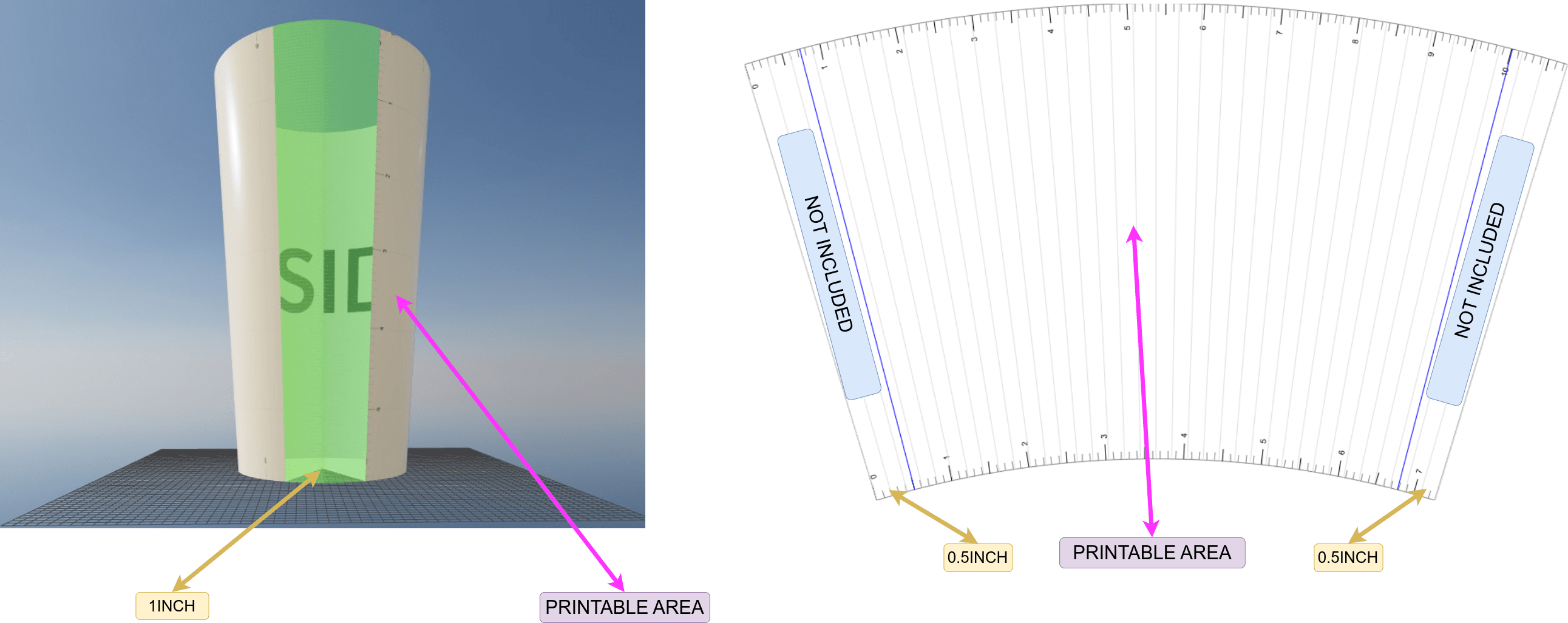
Segment Cut - Examples
Example 1 - Printing on a 17OZ Latte Mug (No Handle)
For this example, we will prepare a print for a 17OZ Latte mug.
1. Open the Cone Calculator tab
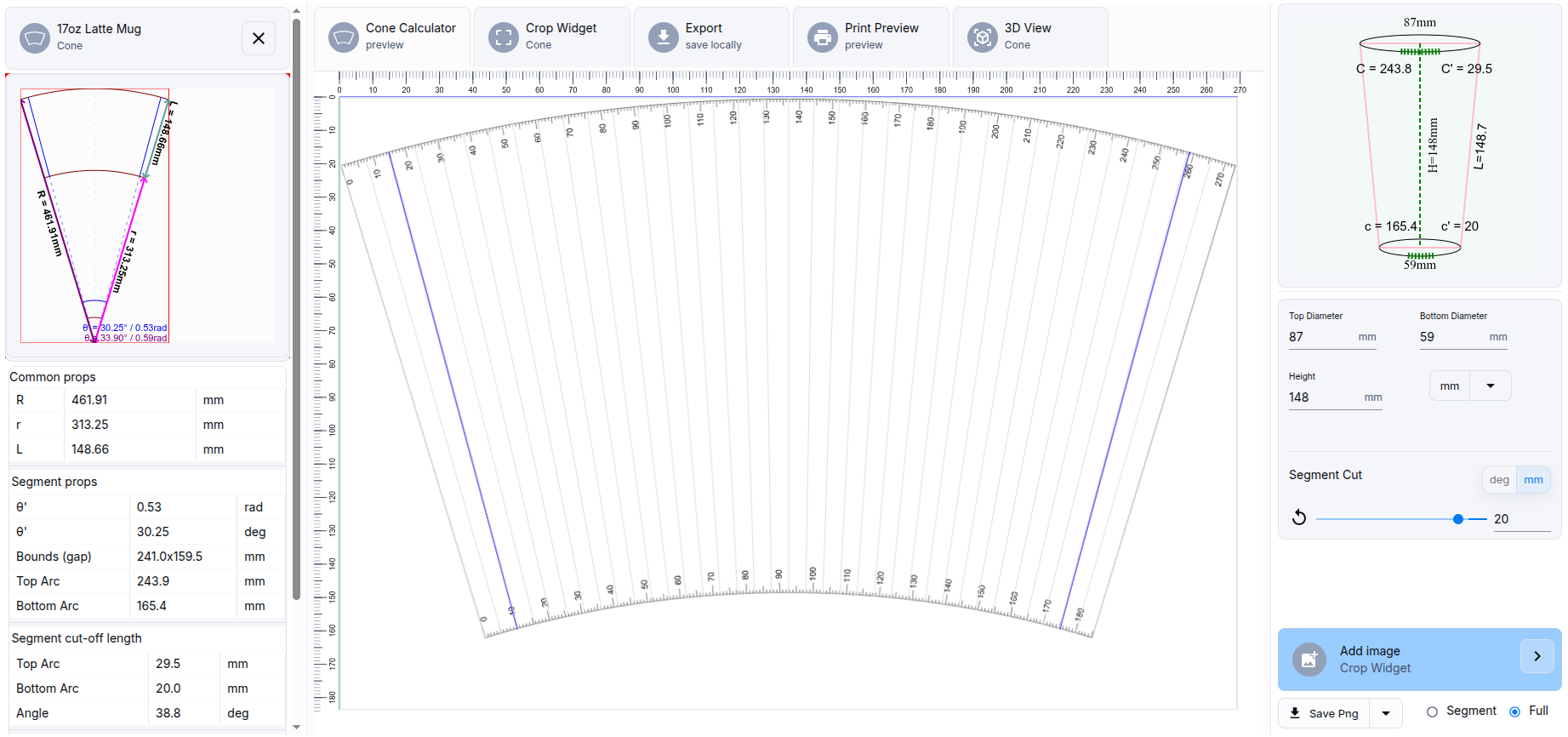
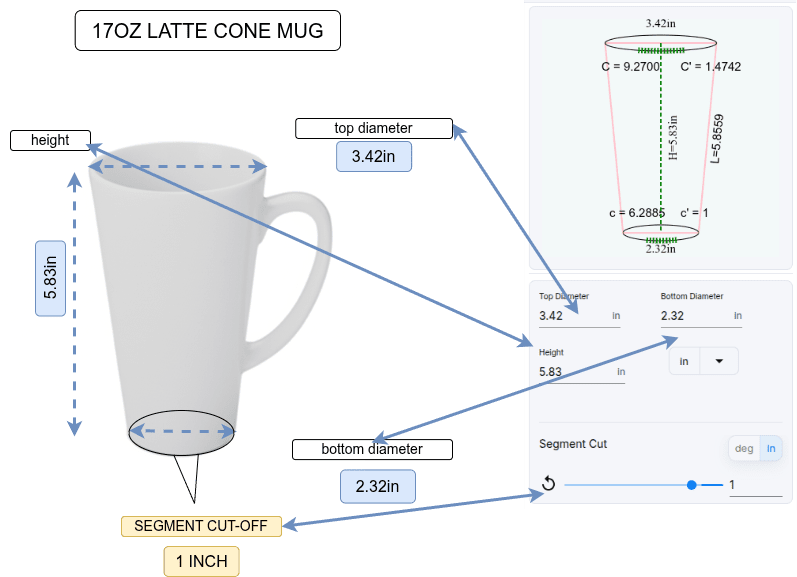
2. Enter the product dimensions - Height, Top Diameter, Bottom Diameter
warning
Please note that the dimensions for a 17OZ Latte mug can vary between suppliers. Please verify that the product dimensions are accurate.
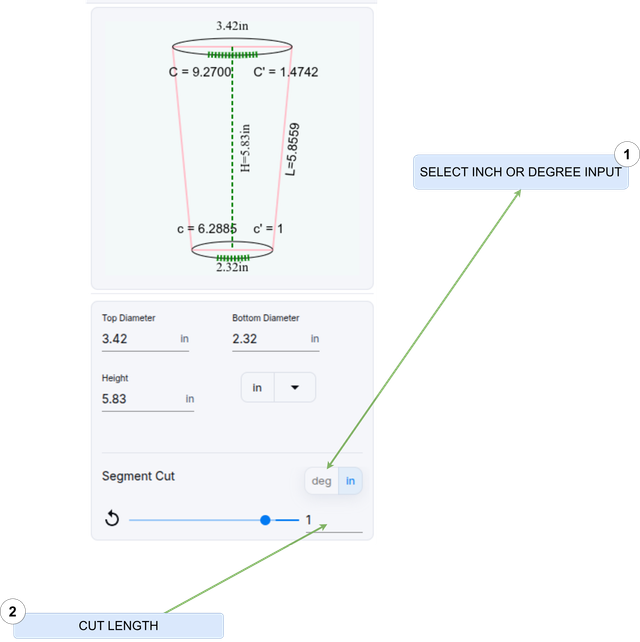
3. Enter the Segment Cut value
- In the unit selector (inches / degrees), choose inch
- In the text field, enter the value 1 (inch).
A value of 1 inch is the length of the segment that will be removed from the bottom circumference of the mug.
4. Explanation
The value 1 inch represents the length of the segment that will be omitted from the bottom circumference of the mug.