Calculated Values Table
📐 Cone Properties
These values represent the physical dimensions of the flattened cone shape (frustum).
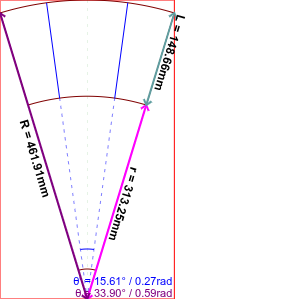
| Property | Description | Best For |
|---|---|---|
| R | Large radius value. | Direct sublimation printing on a flatbed or roll printer. |
| r | Small radius value. | Cutting machines (Silhouette, Cricut, etc.). |
| L | Scalable vector page length. | Technical drawings and CAD software. |
🧩 Segment Properties
These properties define the portion of the cone used in the current design.
| Setting | Description | Notes |
|---|---|---|
| θ (Degrees) | The subtended angle in degrees. | Choose from presets or enter a custom value. |
| θ (Radians) | The subtended angle in radians. | Automatically updates based on the degree value. |
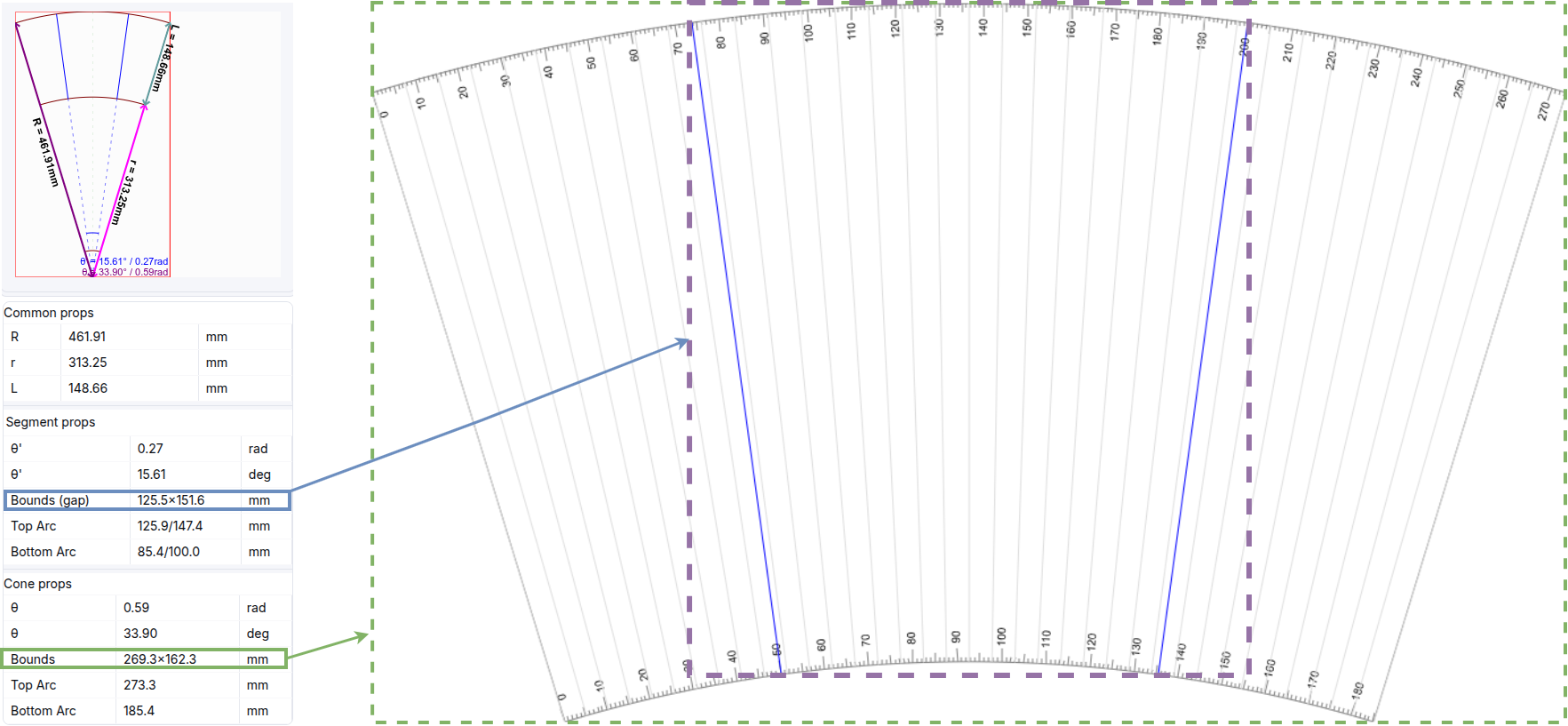
| Bounds | The bounding box dimensions of the segment. | Useful for checking if the item fits on your material. |
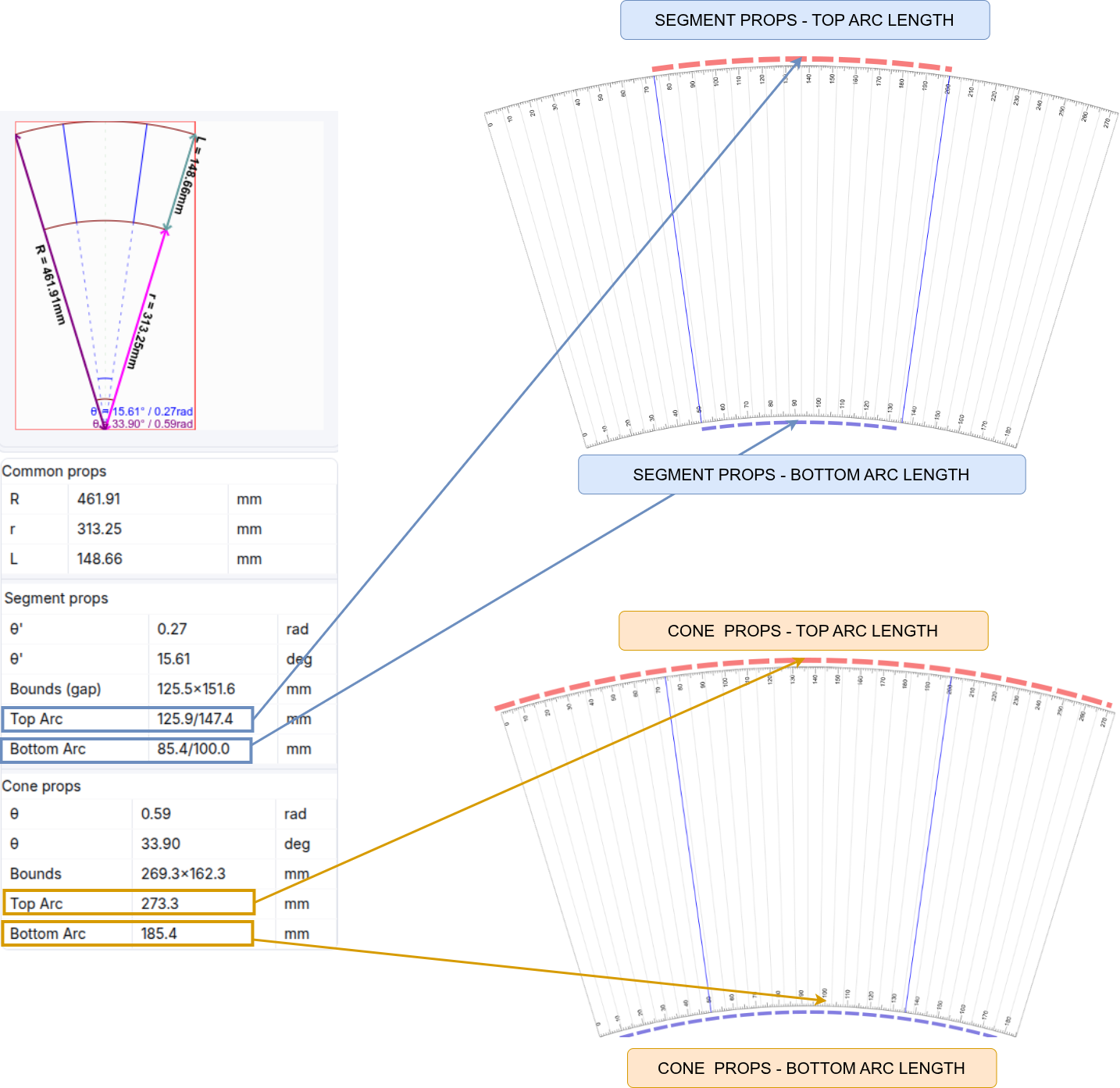
| Arc length (Top) | The length of the curved top edge. | Useful for precise measurement of the wrap. |
| Arc length (Bottom) | The length of the curved bottom edge. | Useful for precise measurement of the wrap. |
Visual Examples
Bounds
Arc Length
✂️ Segment Cut-off
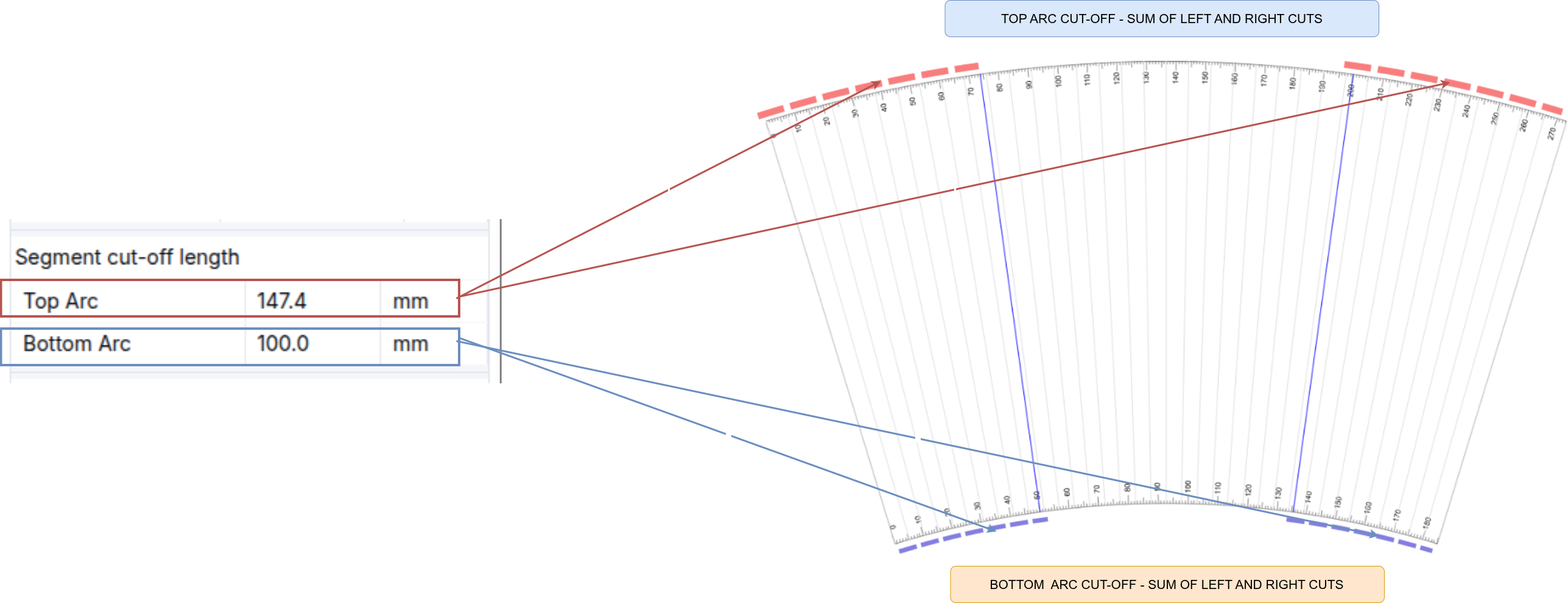
If you are using a partial wrap, these values define the portion being cut off.
| Setting | Description |
|---|---|
| Top Arc Cut-off | The length of the top arc to be removed. |
| Bottom Arc Cut-off | The length of the bottom arc to be removed. |
| Cut-off Angle | The resulting angle of the omitted portion in degrees. |
📦 Packer Settings (Print Widget)
| Setting | Description | Notes |
|---|---|---|
| Max Copies | Maximum number of items the packer is allowed to place. | Prevents the algorithm from exceeding your material limits. |
| Page Borders | Toggle and set border thickness around the entire page. | Useful for alignment or guillotine cutting. |